Moasure: The Revolutionary Measuring Tool for Landscape Professionals
Explore the innovative Moasure tool, designed for landscapers to measure terrain with precision and ease. Discover its features and how it can enhance your landscaping projects.
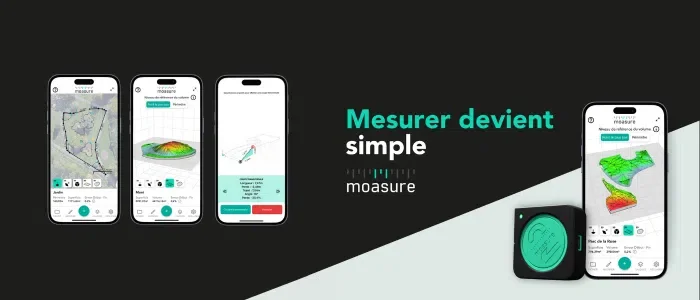
In the realm of landscaping, precision is paramount. Last year, we introduced the Moasure tool, a groundbreaking device designed for landscapers that simplifies the process of measuring terrain with remarkable accuracy. This compact device, along with the Moasure stick and an accompanying app, enables professionals to take essential measurements and create surface plans, capturing vital data for landscaping projects such as area, volume, and elevation.
The enthusiasm from green space professionals regarding this innovative tool has driven Moasure to continuously enhance its features. In this article, we will explore a practical application of the tool and its latest advancements! 🛠️✨
The Moasure 2 Range and Its Features
Key Features
Before diving into the new functionalities of the Moasure 2 range, let’s review the core features of this measuring tool:
-
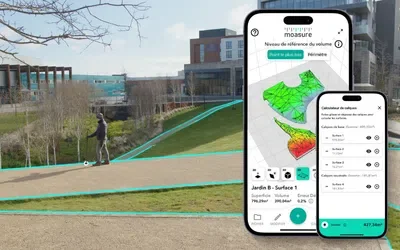
Measurement Capability: The primary function of Moasure is its ability to measure by simply moving around the terrain. This means a single individual can measure even the most complex landscapes. As you traverse the area, the perimeter and surface area are calculated, and a detailed plan with various segments and their measurements is automatically generated.
-
Terrain Elevation Measurement: With Moasure, gauging different levels of terrain has never been easier. By moving around, users can accurately measure the various slopes, making it ideal for landscapers focused on leveling or backfilling with soil. 👍
-
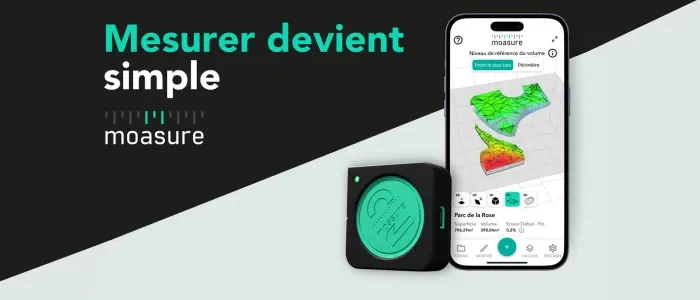
Plan Creation: The measurement process allows for the real-time generation of highly accurate terrain plans within the Moasure app, incorporating all collected data. These plans display areas, perimeters, and volumes effortlessly, just by moving with the Moasure tool.
Spotlight on New Features of the Moasure 2 Range
Committed to continuous improvement and addressing user needs, Moasure has introduced several new features in the Moasure 2 range:
MOASURE 2 PRO ONLY:
-
Implementation Mode: This feature now allows users to easily implant points (X and Y) on the terrain, either through manual entry or by importing CSV, DWG, or DXF files. These markers can indicate plant locations, pipe markers, or define natural areas. 📍
-
Dynamic Intervals: Users can now select pause intervals of 6 to 8 seconds or 16 to 18 seconds, providing greater flexibility depending on project requirements.
In addition to these new features, the Moasure 2 PRO offers enhanced accuracy, with a margin of error of approximately ±0.3% for linear distances and elevations, compared to ±0.5% for the Moasure 2. The Moasure 2 PRO also boasts an extended battery life of up to 10 hours of continuous measurement, which is double that of the Moasure 2.
The layering feature allows users to measure multiple surfaces in a single measurement session. For instance, in a garden featuring a patio, a pool, and grassy areas, a plan can be created with distinct measurements for each component: total garden perimeter, pool perimeter, or patio perimeter. Each layer can be named and exported individually or as a group. 📤
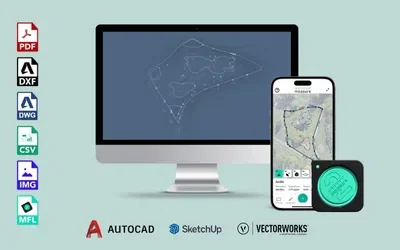
New export types have been introduced to cater to a wide range of user profiles. Numerous export formats are now available to share measurements with clients or collaborators. Formats such as DXF and DWG allow for reusing and modifying Moasure plans in both 2D and 3D 🧊. Additionally, Moasure plans and measurements can be easily imported into CAD modeling software for further editing, including programs like Jardicad and Sketchup. Export options also include PDF, DXF/DWG, CSV, PNG, and JPG.
Landscape Professionals Enthusiastic About Moasure
A Constant Focus on User Satisfaction
At Moasure, there is a strong commitment to understanding user needs, and their dedication to customer satisfaction extends beyond the initial sale. They actively engage with professionals to gather feedback on the tool's usage. For landscapers curious about Moasure, detailed testimonials from green space professionals are available, including insights from a landscaping company with eight employees based in Brittany. 🌿
Unanimous Positive Feedback
Observing feedback from professionals using Moasure reveals overwhelmingly positive responses. Many landscape gardeners highlight the time-saving aspect of measurements, alongside the reliability and accuracy provided by this innovation. One user remarked, "I save a lot of time and precision on my projects."
Despite the various technical features, users find the tool easy to operate. Another user noted, "Very easy to use and very intuitive." With 647 professionals rating the product after purchase, it has achieved an impressive score of 4.85/5 ⭐!
If you have questions about this product or seek more information regarding its features, feel free to reach out to a Moasure representative. They are available via chat or phone to assist with inquiries. If you are already a Moasure user, we encourage you to share your experiences in the comments. We hope you found this article informative; the Cooperative of Professional Gardeners wishes you a wonderful day! ☀️